Role
Product Designer &
UX Strategist
Team
1 Product Manager
2 Product Owners
2 Product Designer
2 Business Analyst
2 UI/UX Developers
8 Software Engineers
Duration
6 Months
Problem Overview
Café Zupas, a fast-casual restaurant chain, was using OLO for time shifts, market, menu, and order management, paying 10-15% per transaction. We built a custom ERP solution that unified these operations, giving them full control and significantly cutting costs by eliminating third-party fees.
Planning
Product Head & CTO’s words : We held a 4-week discovery workshop to gather client requirements, focusing on their concerns, pain points, and existing insights.
Primary Users : Café Zupas' primary users included 4 restaurant managers, their CIO (Wes Beaman), CMO (JP Knab), COO (Chris Lui), marketing head (Lauren Aamodt), and domain heads, totaling 10 stakeholders. We ran two weeks of discovery workshops in small groups, with Wes, JP, and Lauren attending every session as key stakeholders.
Discovery Sprint
Customized UX Strategy: I planned a strategy to deliver a unique UX on a tight timeline. We conducted user interviews, system audits, and market research. Then, following brand guidelines, I quickly created high-fidelity designs and handed them off to the development team for implementation.
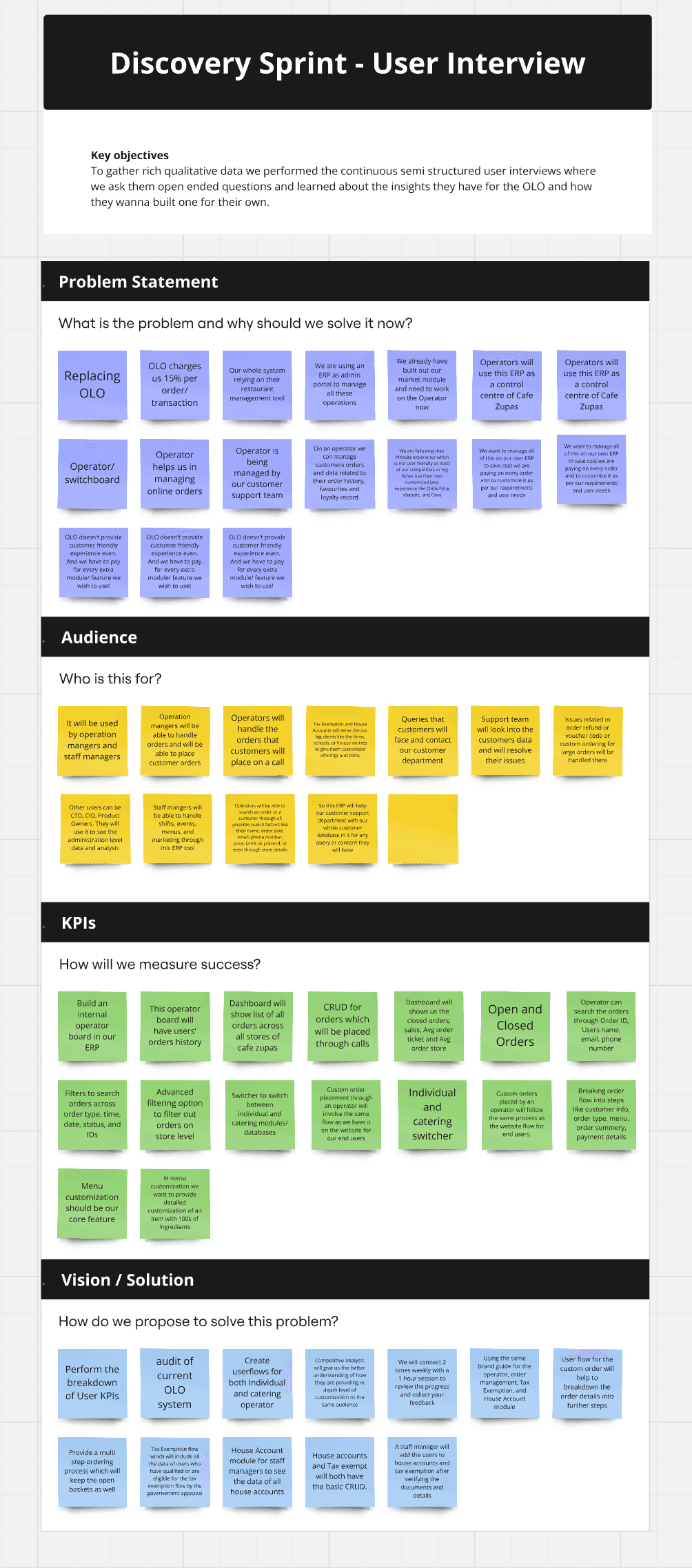
User Interviews helped us in defining the user problem statement
Scoping
After two weeks of discovery calls with stakeholders, we finalized the project scope with the involvement of the Project Manager and Product Owners.
UX Audit of OLO (Old ERP)
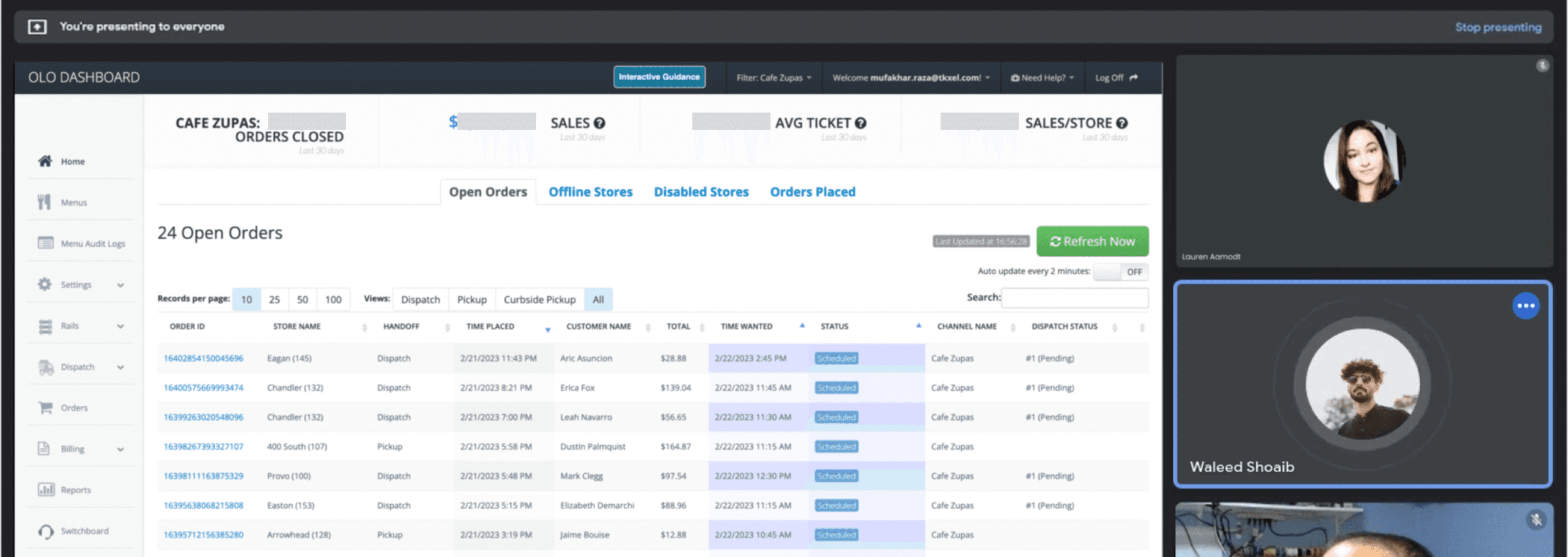
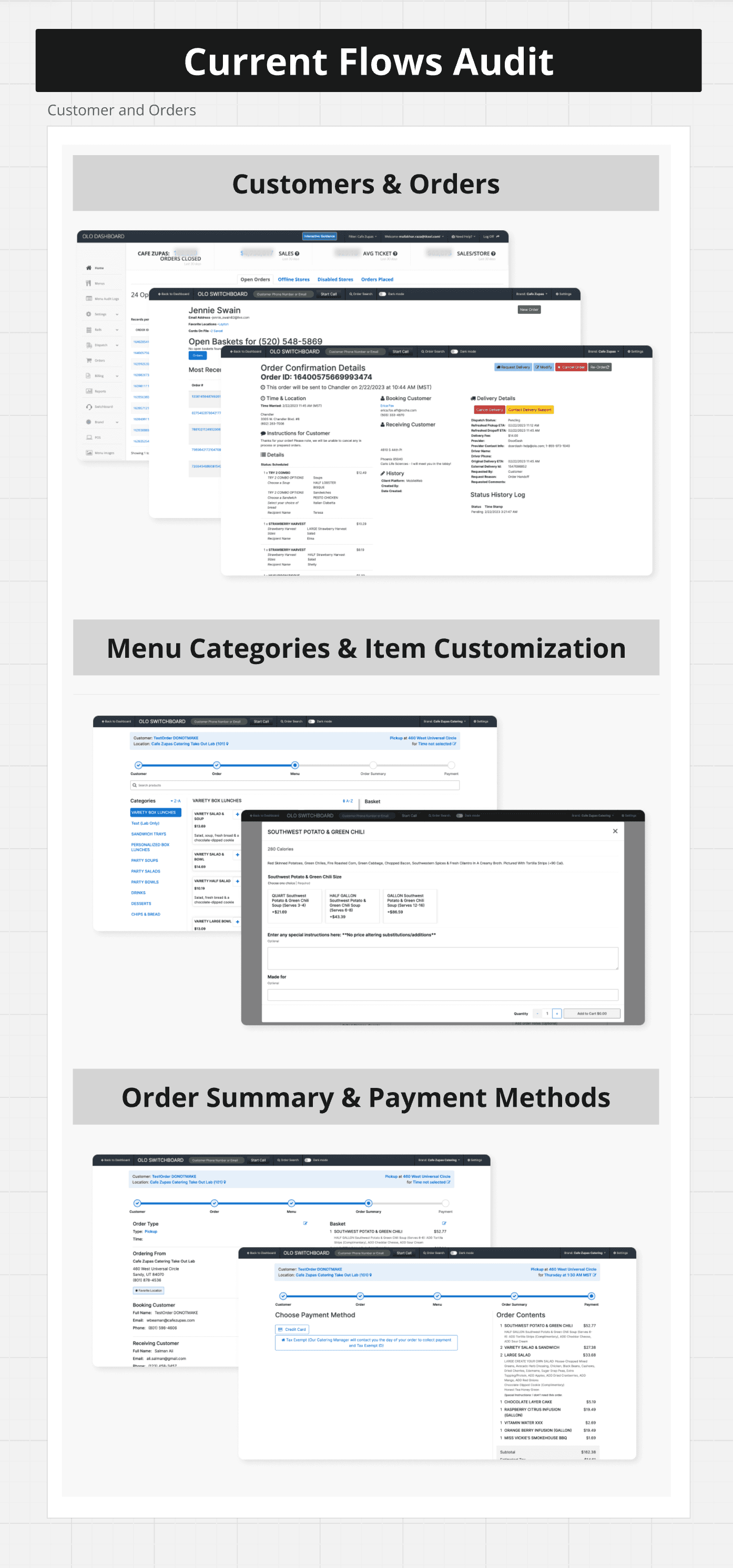
After multiple sessions with stakeholders to understand their current workflows and pain points, we audited the OLO ERP used by Café Zupas' operations team. This allowed us to quickly build a user flow and improve it based on stakeholder insights and market research.
Operators Dashboard
User KPIs Breakdown
After the UX audit and user interviews, we defined KPIs and broke them down based on the operations in the Operator dashboard for both Individual and Catering modules at Café Zupas.
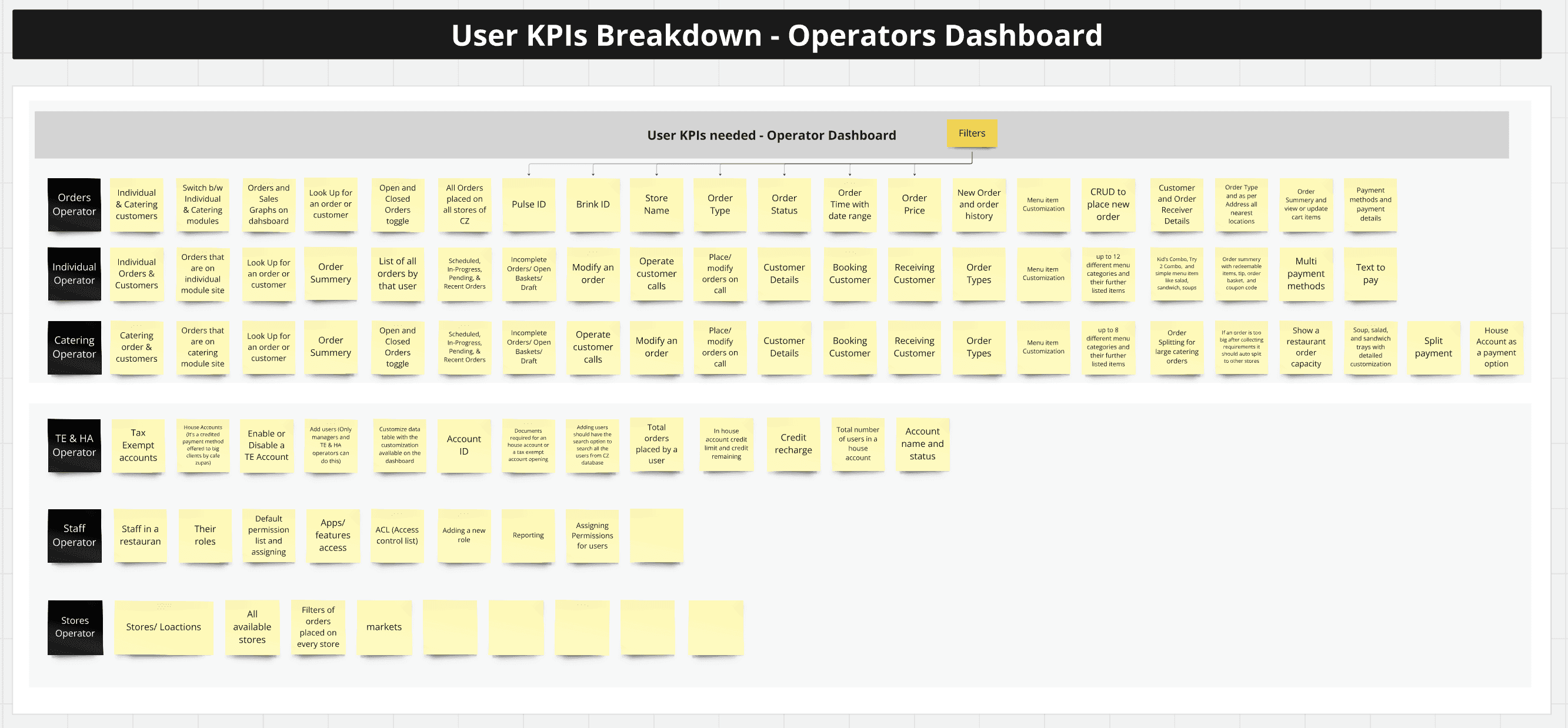
User KPIs breakdown for different personas
Operator’s User Flows
The operator's workflow begins on the dashboard, switching between Individual and Catering data.
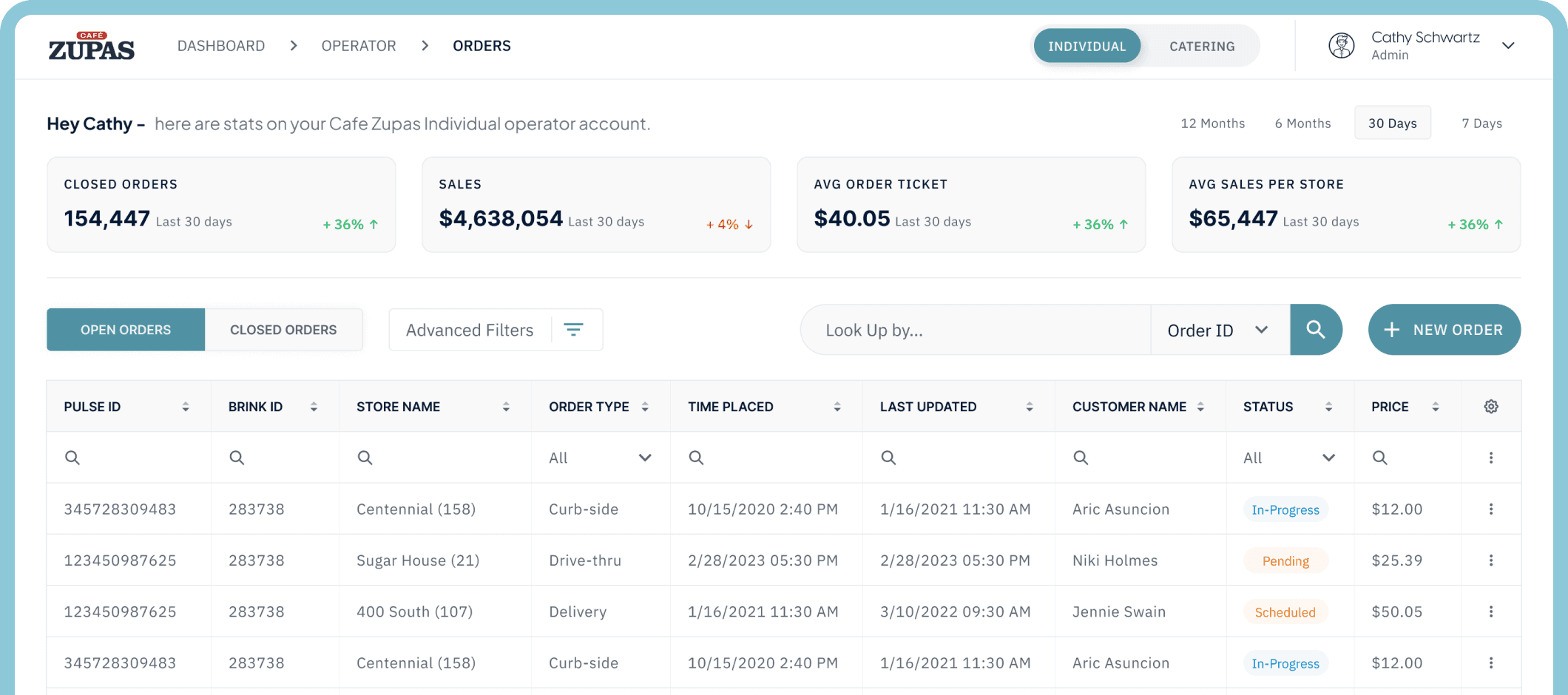
Individual: The Individual operator dashboard displays tiles for closed orders, sales, and a table of all orders. Operators can customize the table to prioritize data and easily search for orders or customers by ID, email, or phone number.
Catering: The Catering operator shows the same tables and functions as the Individual operator. We kept them separate because their user applications, menu categories and their customization and databases are distinct from Café Zupas' individual operations.
New Order: The ordering flow is the same for both operators, including steps for customer info, order type selection, menu selection, and payment.
Order Splitting: The key challenge was managing store capacity for large catering orders. We used machine learning to split orders across multiple stores, based on daily orders and available ingredients data, to optimize capacity management.
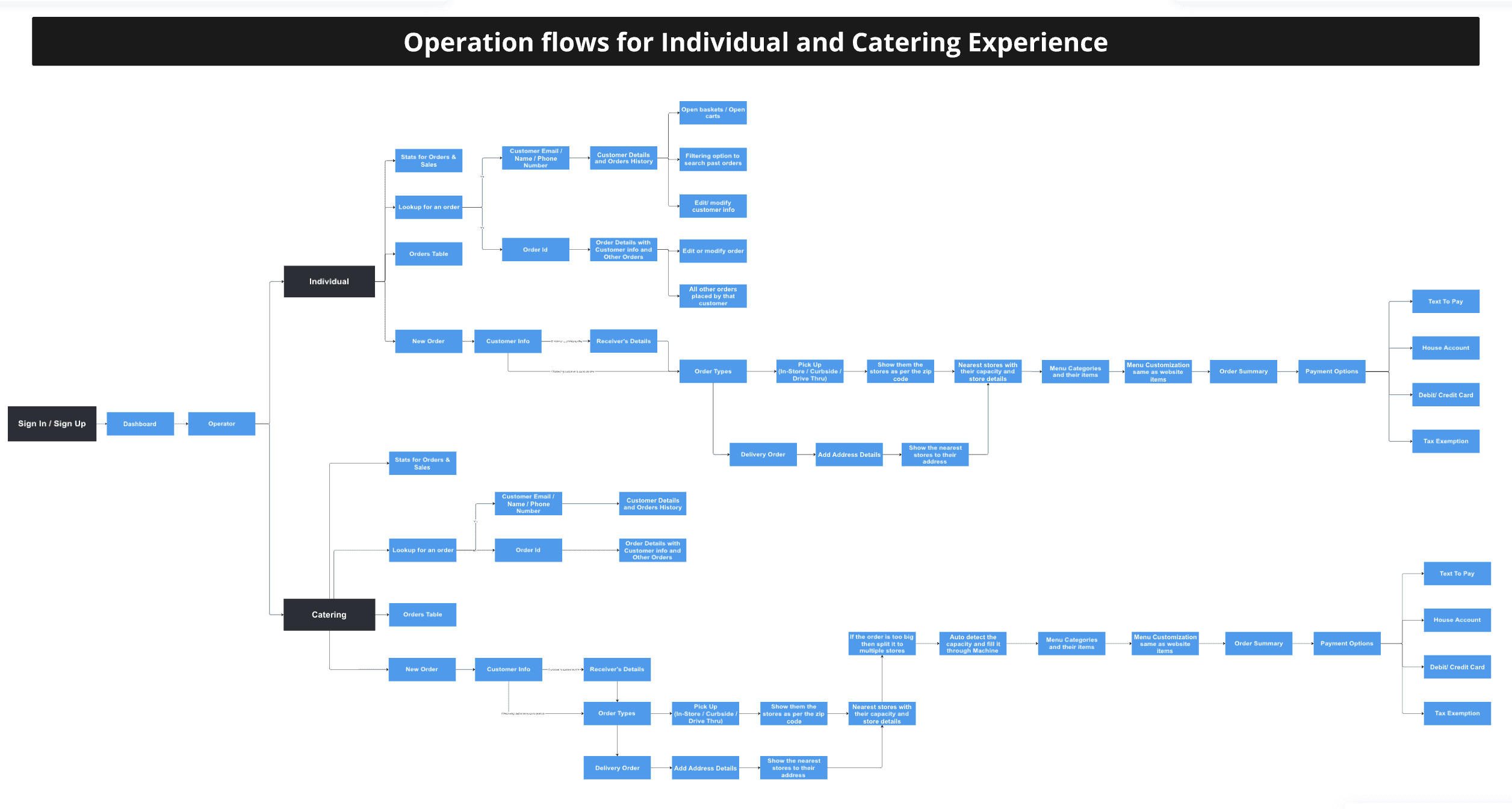
end-to-end user flows for both Individual and Catering Operators
Design
Lo-Fi Dsigns
I created the app's basic concept using wireframes inspired by ChatGPT's UI, focusing on customizable conversational agents like chatbots. For generational agents, we implemented steppers to collect the necessary information for generating content.
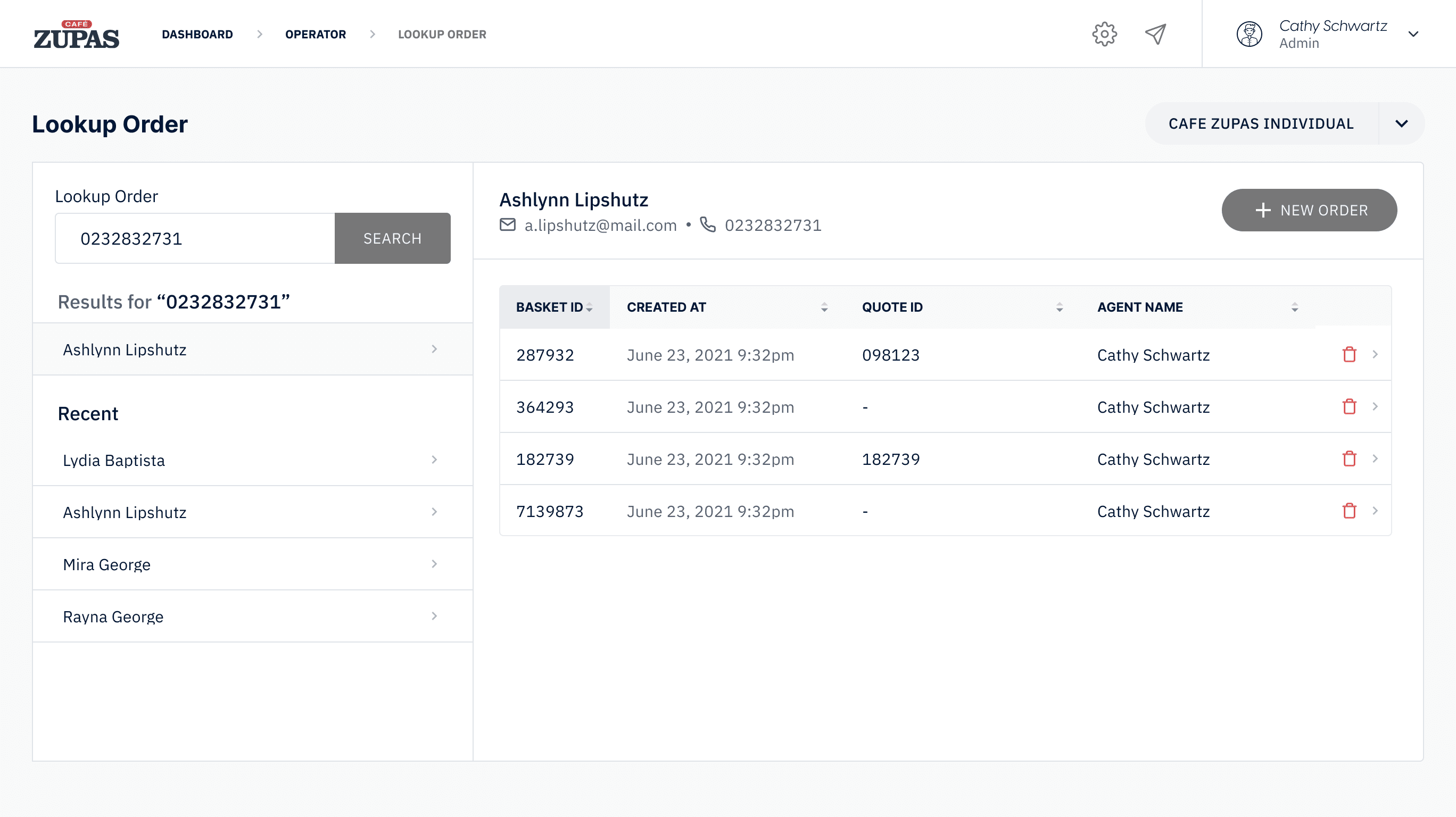
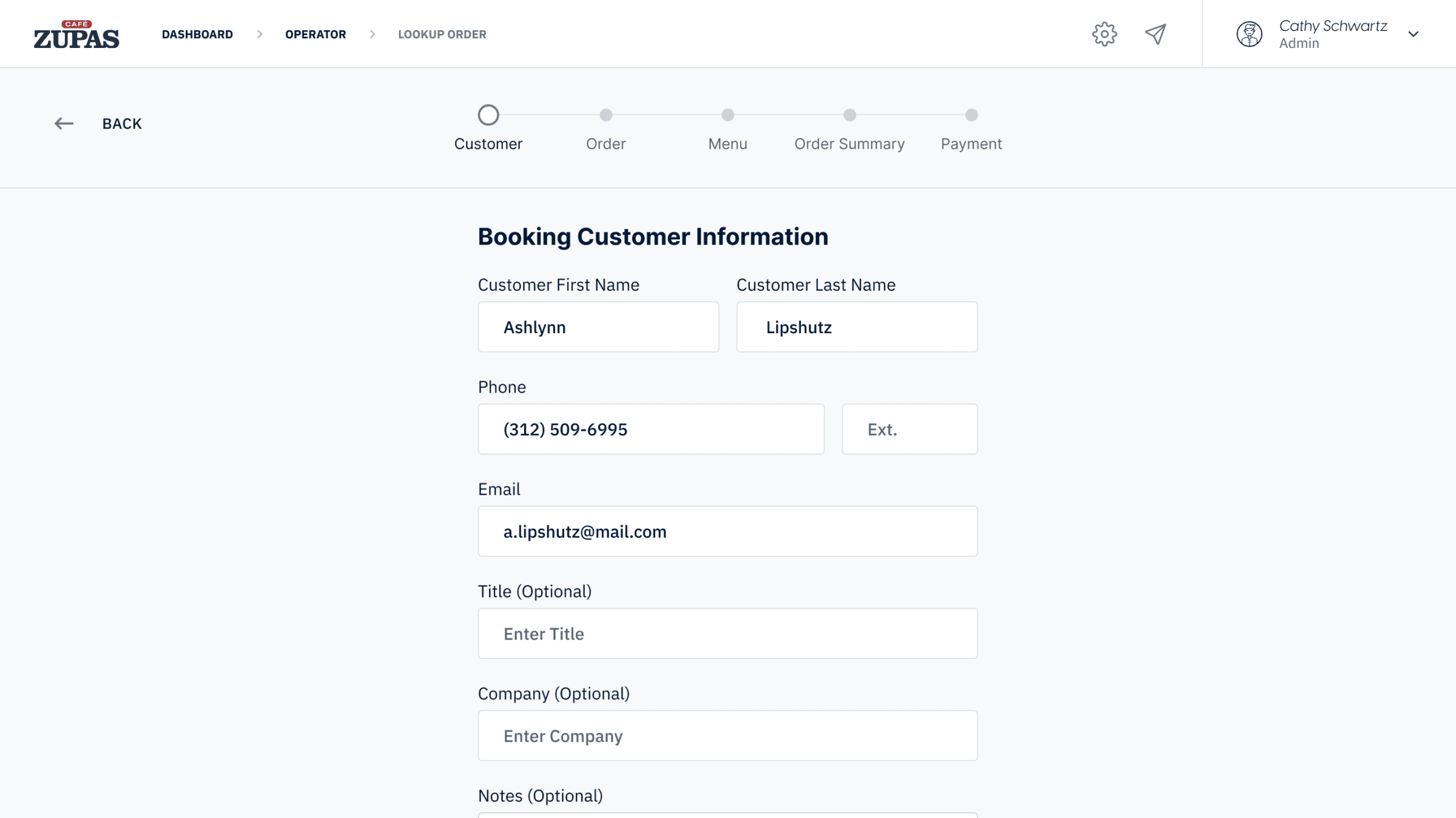
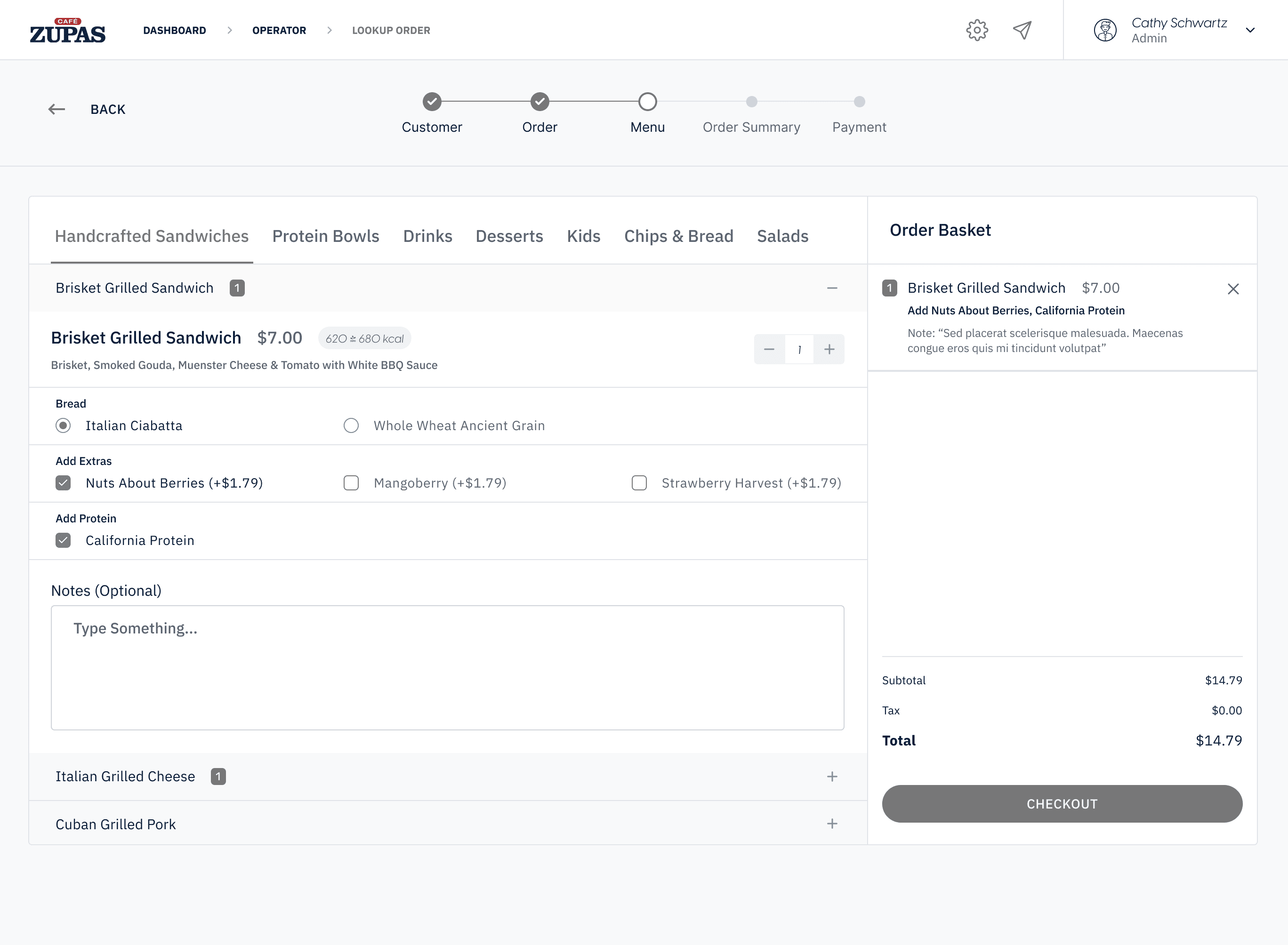
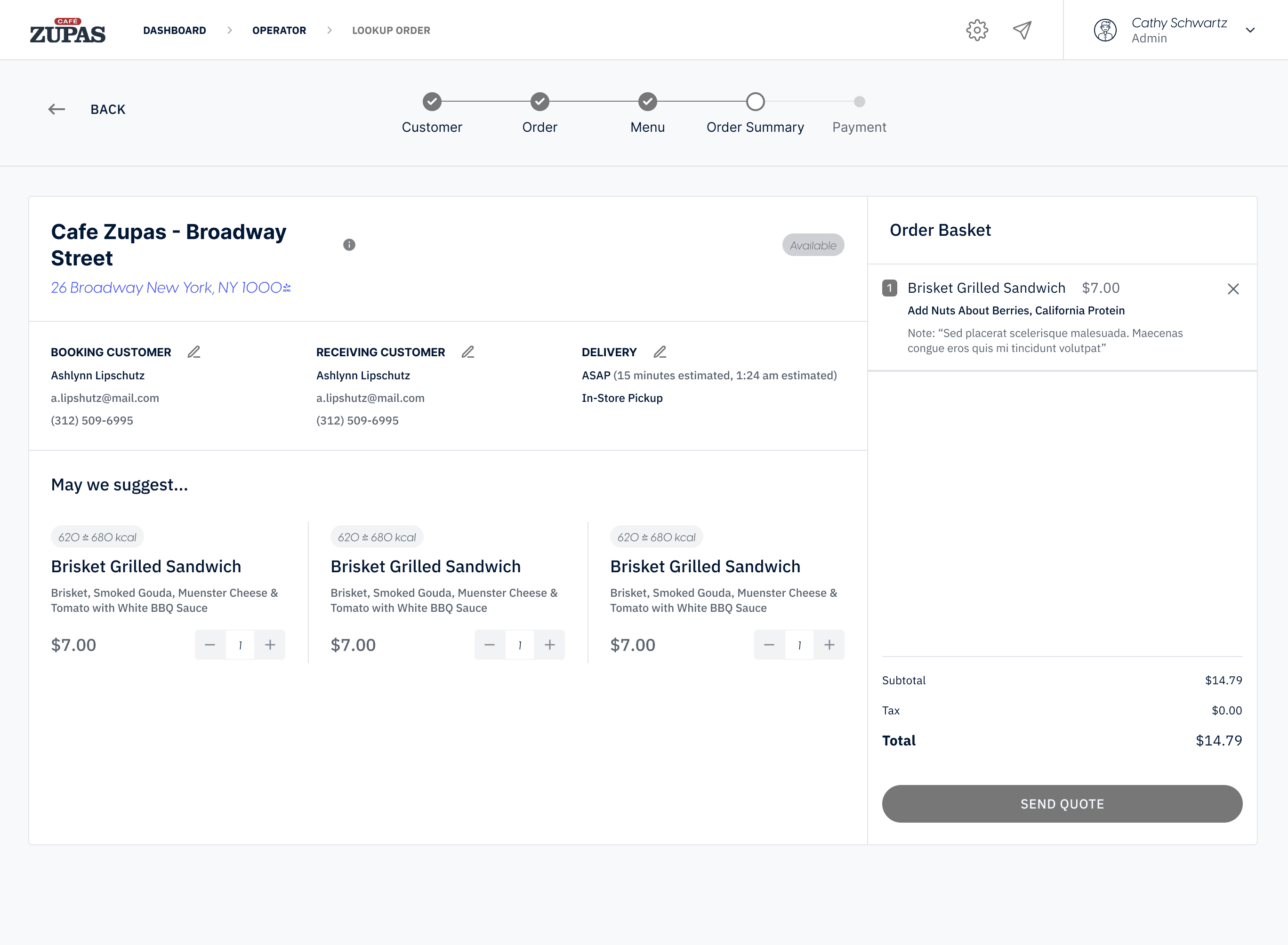
Hi-Fi Design Flows
High-fidelity designs involved extensive iterations. We divided the main navigation into two categories: conversational agents and generational agents. Conversational agents function as chat assistants with smart search options, while generational agents serve as artifact generators for various scenarios. After continuous improvements and consultations, we achieved an impressive and simple design.
Operators Dashboard for Individual
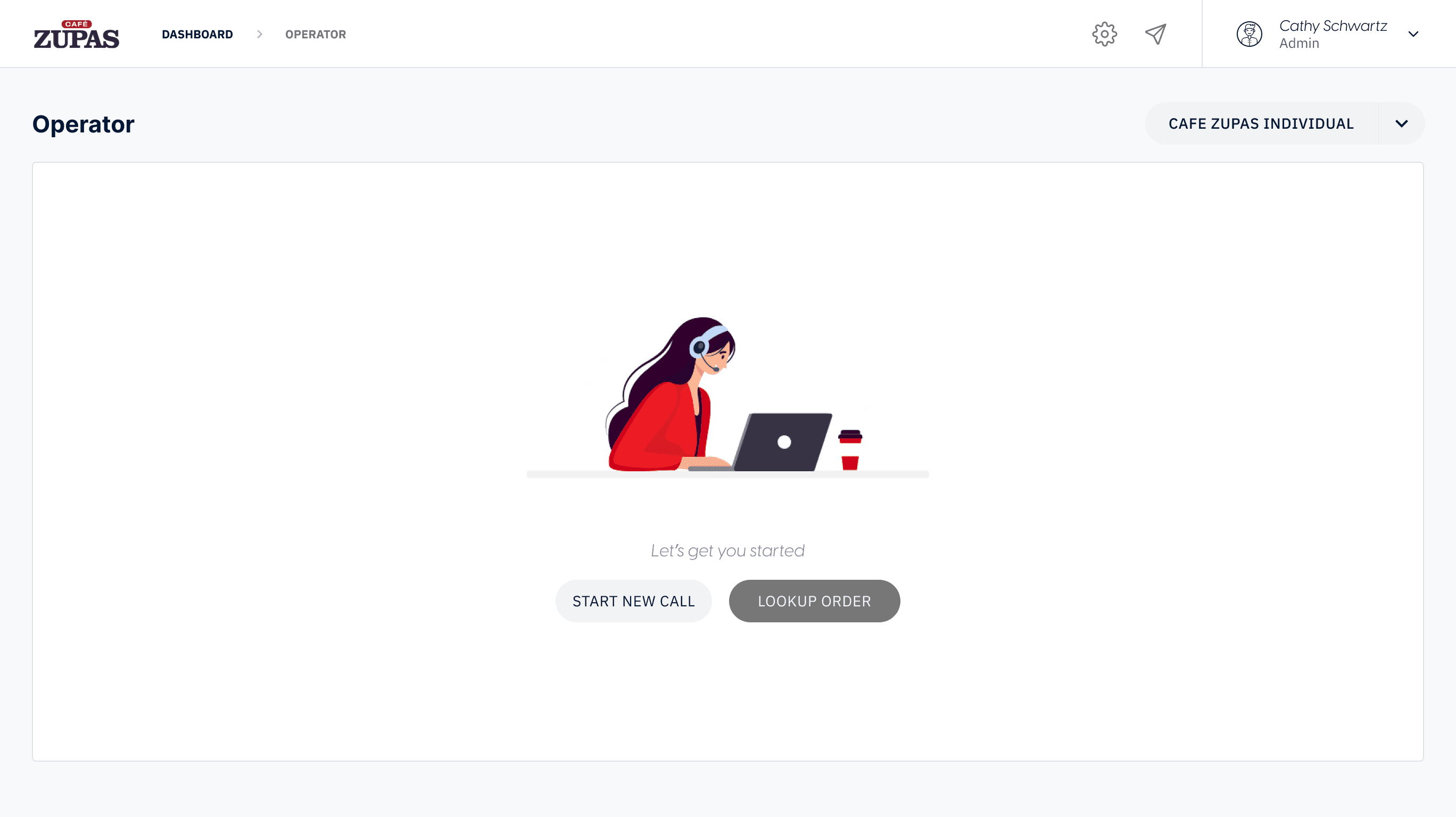
We created a focused dashboard for operators with key stats tiles at the top, time filtering options, and a customizable order table. Each column includes sorting, search, and filtering features for easy data management.
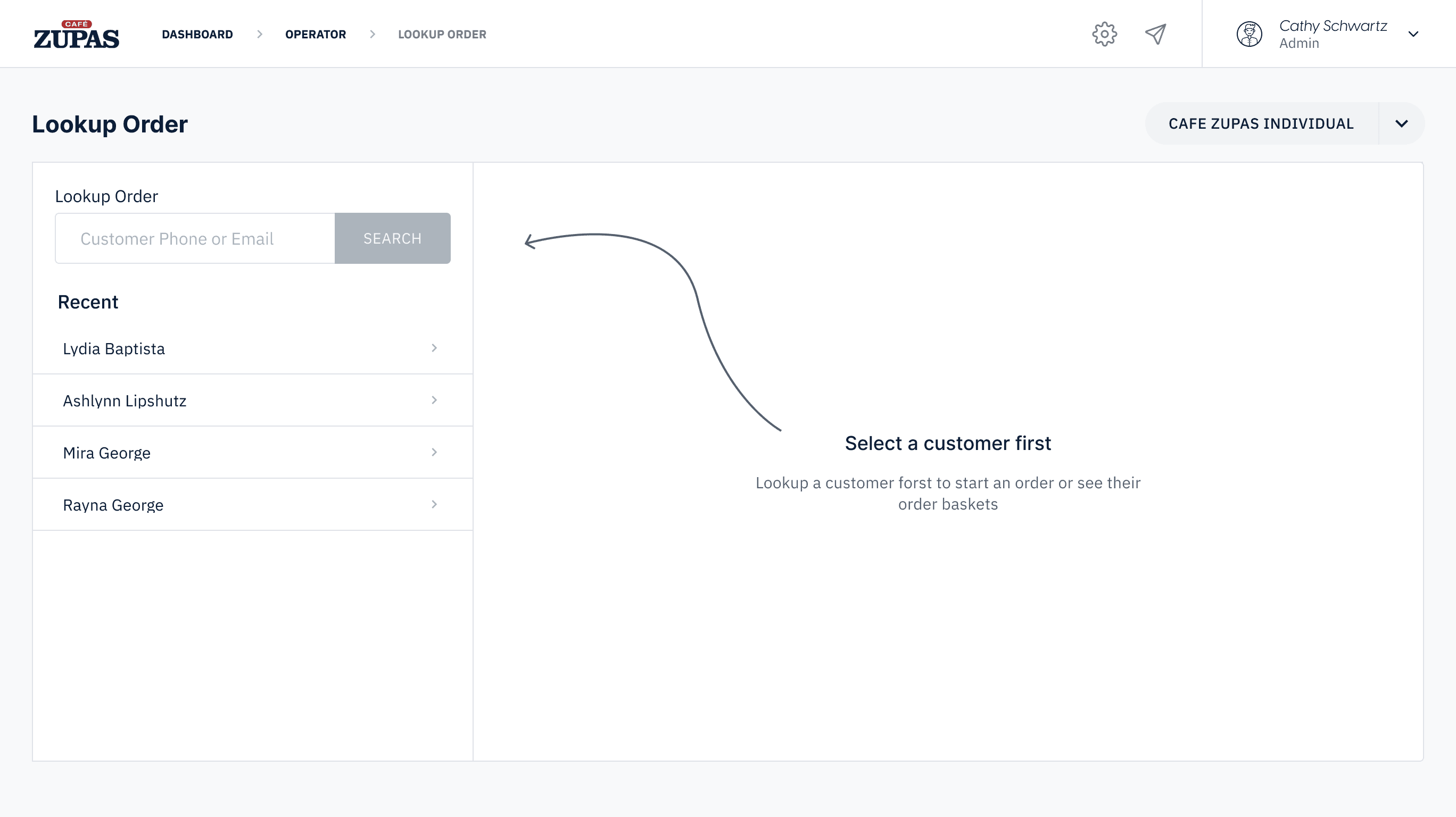
Lookup for An Order / Customer
The dashboard featured a prominent search tool for quickly looking up customer details or orders. Operators found it easy to view customer history, download receipts, and modify orders or customer information.
Start New Order
As an operator can search or update an order for a customer. Now we were also keen in providing them the order creation feature. As most of the cafe zupas customer use to place order through call and with this online ordering ERP it became very easy for an operator
Operators Dashboard for Catering
We designed the same operator flow for catering users and orders, including options for catering menus, locations, and staff management. A key feature was handling large orders by splitting them across multiple stores, using machine learning data to optimize ingredient availability and staff capacity at each store.
Results and Impact
After creating the prototypes, we handed off the design to a team of 40 developers, who built the ERP module by module over 3 quarters. The design and BA teams then focused on the next modules—House Account, Tax Exempt, and Fundraiser—while staying in close coordination with developers for ongoing design support.
User Feedback:
- High Satisfaction: Stakeholders provided overwhelmingly positive feedback on the module's success.
- Efficiency Gains: Reduced costs by 15% per order for Café Zupas.
Learnings:
- This was the first ERP where I delivered end-to-end product design solutions across multiple modules.
- A great chance for me to create an ERP solution for such a big restaurant chain based in USA.
- I found myself truly enjoying the process of designing and strategizing flows and user interactions.
- Recognized tradeoffs and choose the right tools or strategies to ensure successful outcomes.
Future Work
Future work was given to start working on their user end applications both web and mobile.